

Double the Power with a Single Codebase: The Current Architecture and Future of Cross-Platform Mobile Development
Compare Flutter, React Native, Kotlin Multiplatform, and .NET MAUI architectures. Explore the pros, cons, and future of cross-platform mobile development.
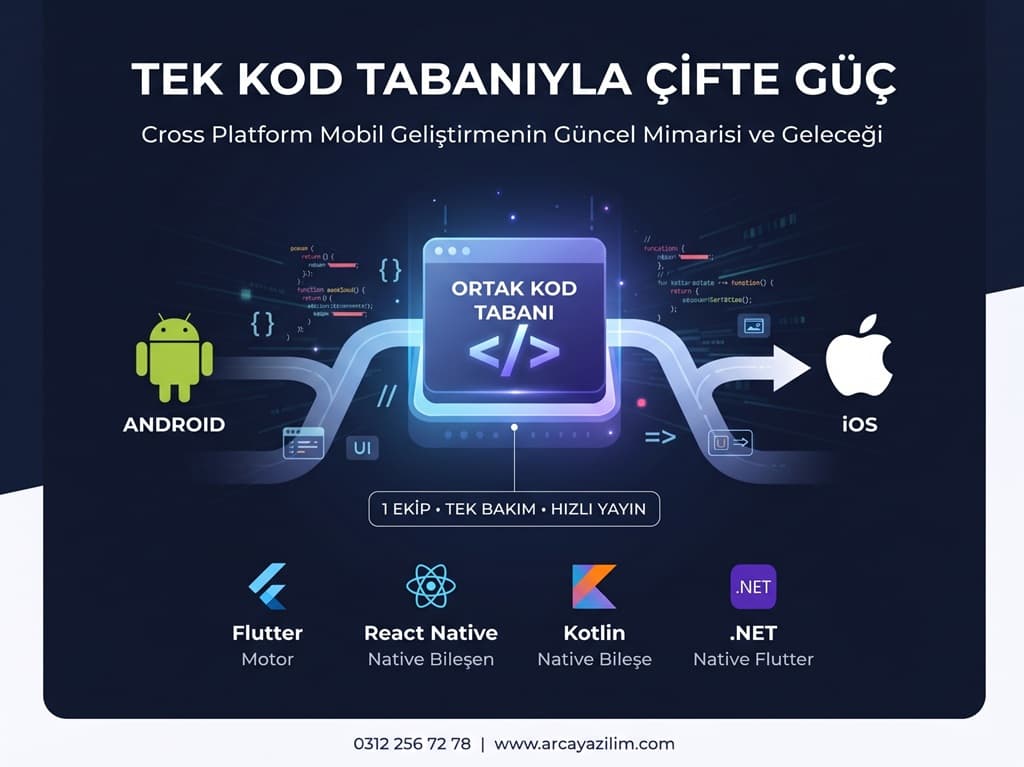
"Cross-platform" has been a fixture of mobile development conversations for years, but the discussion usually gets bogged down in the question, "Which one is better?" Instead, what we really need to look at is how each tool delivers code to the phone. In this article, we put the four major players—Flutter, React Native, Kotlin Multiplatform, and .NET MAUI—on the same scale and compare their architectures, pros, and cons one by one.
What is Cross-Platform? How is it Different from Native Development?
Cross-platform development is an approach where a single codebase is used to produce applications that run on multiple operating systems. In the mobile world, this typically means turning the same code into both Android and iOS apps; some tools can even take that same code to the web, desktop, and even wearables.
The easiest way to understand this is by comparing it to "normal," or native, development. In the native approach, a separate application is written for each platform: Kotlin (or Java) and Android Studio for Android, and Swift and Xcode for iOS. Two separate codebases usually mean two separate teams, two separate testing processes, and two separate release schedules. If you want to change the color of a button or add a new feature, you do the work twice.
In the cross-platform approach, business logic—and often the user interface—is written once and then packaged separately for each platform. The gain is obvious: shorter development time, lower cost, features launched simultaneously on both platforms, and a product that can be managed by a single team. The cost is a layer that steps between you and the platform; while native code talks directly to the operating system, cross-platform code conducts this conversation through an intermediary. What sets different tools apart is precisely how this intermediary is set up and what language it is written in.

The Common Point: The Intermediate Layer
In native development, Kotlin or Swift code is compiled and connected directly to native APIs, with no one in between. In cross-platform tools, however, the shared code always passes through an intermediate layer. This layer can be established in three ways: a bridge that delivers code to the native side via messages, direct compilation of code into native code, or an independent engine that draws the user interface from scratch. Now let's look at how the four tools set up this intermediate layer.
Flutter: The Approach That Draws With Its Own Engine
In Flutter, code is written in Dart and compiled directly to native machine code (AOT) before being uploaded to the store. Things get interesting on the UI side: Flutter never touches Android's View system or iOS's UIKit. Its custom engine, called Impeller, draws every pixel directly to the GPU. The result is a screen that looks identical on both platforms.
- + Pro: Pixel-consistent UI, fast development cycle with hot reload, single widget set that behaves identically everywhere.
- − Con: Because it uses its own engine, it does not automatically catch platform native component updates; the compiled application size is usually slightly larger.
React Native: The Approach That Talks to Native Components
In React Native, code is written in JavaScript or TypeScript. Unlike Flutter, it doesn't draw its own UI; thanks to JSI (JavaScript Interface), it connects to real native components via the Fabric rendering system. In other words, the button you see on the screen is the platform's own button—JavaScript simply tells it what to do.
- + Pro: Native look and feel are preserved, broad JavaScript/React ecosystem, and easy adaptation for web teams.
- − Con: Performance depends on the synchronization between the JS side and the native side; a minor delay can occur during intensive native operations.
Kotlin Multiplatform: The Approach That Shares Only Logic
Kotlin Multiplatform follows a different path from the other three: it shares business logic, not the UI. The shared Kotlin code is compiled into true native code (Kotlin/Native) for each platform; the UI can be written separately using Compose on Android and Swift on iOS. Communication with the native side is established via "platform channels" or FFI (Foreign Function Interface, where a function written in one language is directly called by another).
- + Pro: Since the UI remains completely native, the platform-specific feel is not lost; it can be integrated gradually into existing native applications.
- − Con: Because the UI is not shared, separate UI code must be written for both platforms; while Compose Multiplatform partially solves this, it is not yet at the same level of maturity everywhere.


.NET MAUI: The Approach Bringing the C# Ecosystem to Mobile
In .NET MAUI, code is written in C# and XAML; it is AOT compiled like Flutter, but on the UI side, it stays close to React Native, using native controls directly.
- + Pro: Low learning curve for enterprise teams already using .NET/C#, the power of the Visual Studio toolchain.
- − Con: Community and package ecosystem are smaller compared to Flutter and React Native; some native SDK integrations may require more manual effort.
General Advantages and Disadvantages of Cross-Platform
Whichever tool you choose, the overall benefit of cross-platform is time and cost: business logic and mostly the UI are written in a single codebase, a single team progresses simultaneously on both platforms, and you don't develop the same feature twice.
But the flip side exists too: intense native operations via a bridge, JSI, or platform channel can create a small performance delay (overhead) compared to pure native code; it can take weeks for a new operating system feature to be reflected in the framework; if an SDK you need has no equivalent in the framework, you may need to write a custom native module.
When is Cross-Platform Not the Right Choice?
Not every project is suited for cross-platform. In a game requiring real-time 3D graphics, no cross-platform tool currently matches the performance of native engines like Unity or Unreal. If you require access to hardware-level encryption like a custom Bluetooth Low Energy protocol or Secure Enclave/Keystore, the native side is more stable and secure. If you need to use a new platform API the day it is released, waiting for framework support can delay your work.
Field Examples: Cross-Platform in Real Projects
These are not scenarios that stay on paper. Cash App has been using Kotlin Multiplatform in production since 2018; Physics Wallah, with 17 million users, shared its UI and business logic across both platforms. In other words, cross-platform is no longer a testing ground, but the daily infrastructure of applications serving millions of users.
What Will Cross-Platform Look Like in the Future?
Over the next few years, the debate of "which tool is better" seems likely to be replaced by the question, "how close will the tools get to each other?" While Kotlin Multiplatform moves toward UI sharing with Compose Multiplatform, React Native gains faster access to the native side with its new architecture, and Flutter targets the web and desktop alongside mobile with the same engine. Although approaches start from different places, the common goal is the same: a single-codebase development experience as close to native performance as possible.
AI-assisted development is the fastest-changing piece of this picture. When code assistants can write a screen in one go and test it on both platforms, the time savings already offered by cross-platform will grow exponentially. In particular, tedious parts such as platform-specific bridge code, test scenarios, and repetitive UI tasks are expected to be largely automated.
On-device AI models create a new requirement. As phones become capable of handling tasks like text summarization, image recognition, or voice assistants without going to the cloud, it will be critical for cross-platform tools to provide access to these models with a single interface on both platforms. Frameworks offering good abstractions in this area will stand out.
On the design side, an interesting divergence is taking place. Apple and Google are making their design languages increasingly distinct—such as the new glass-effect visual language on the iOS side and more expressive Material design on the Android side. This challenges the "looks identical everywhere" UI approach, giving an advantage to tools that use native components. Successful projects in the future will likely be those that keep logic shared while respecting each platform's unique character in the UI.
Finally, the number of screens is growing: smartwatches, car displays, televisions, foldables, and desktops are joining phones and tablets. Since writing separate applications for every surface is unsustainable, cross-platform is set to transition from a preference to a default approach. The value of a single codebase grows even larger as the number of target platforms increases.

To get more information on this subject, you can reach us at +90 312 256 72 78, and visit www.arcayazilim.com for detailed information and our other solutions.