

User Login and Authentication Methods: From Passwords to Passkeys, Social Login to SSO
Explore authentication methods in modern web and mobile apps—from passwords and passkeys to social logins and corporate SSO. Best practices for secure architecture.
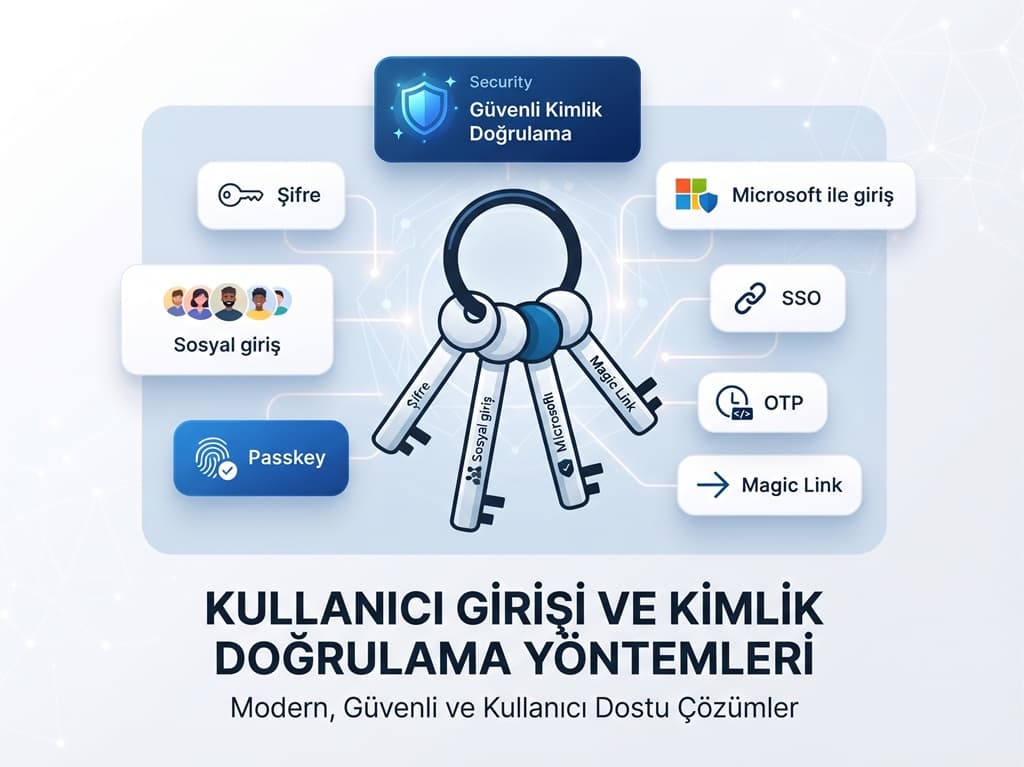
We explored today's login methods—ranging from passwords to passkeys, "Sign in with Google" buttons to enterprise SSO—discussing which one is the right choice and when, and how to securely set them up in web and mobile applications.
Why is user login important?
In an application, the screen a user encounters first is often the login screen. This screen has to perform two tasks simultaneously: firmly lock the door against unauthorized individuals and let the right person in without any friction.
If you fail at either, you pay the price either with a security breach or with users abandoning the application.
Real-world data also demonstrates how critical authentication is. According to Verizon’s 2025 Data Breach Investigations Report (DBIR), compromised credentials once again ranked first among attackers' entry points into a system.
- 22%: Nearly one-fifth of breaches began with the misuse of credentials. In basic web application attacks, this rate rises to 88%. (Source: Verizon 2025 DBIR)
"Assume access, ready defenses." (Verizon, 2025 Data Breach Investigations Report, p. 59)
In short, a good login system is not just a form; it is where product experience, security architecture, and compliance requirements such as GDPR and ISO 27001 intersect. Below, we examine the most common methods one by one.
Email and Password Login
The most familiar method. The user defines an email address and password, and the application stores the password not directly, but through a salted and slow hashing function. Today's recommended algorithms are Argon2id, scrypt, or bcrypt; fast hashes like MD5 or SHA-1 should not be used for storing passwords.

Passwords are never stored in plain text; only the salted hash resides in the database.
Dogmas regarding password policies have also changed. The current digital identity guideline published by the National Institute of Standards and Technology (NIST) in August 2025 explicitly prohibits composition rules such as "at least one uppercase letter, one number, one symbol".
"Verifiers and CSPs SHALL NOT impose other composition rules … for passwords." (NIST, SP 800-63B-4 Digital Identity Guidelines: Authentication, 2025)
Prominent recommendations from the same guide include:
- If the password is a single verification factor, a minimum length of 15 characters should be required.
- Long passwords of up to at least 64 characters must be allowed.
- New passwords must be checked against breached password lists.
- Periodic mandatory password changes should be eliminated.
In short: long and unbreached passwords, not complex ones.
Advantages
- A method known to everyone, independent of third parties
- Works across all platforms
Disadvantages
- Vulnerable to phishing and password reuse
- Password reset flows create support overhead
How Does Social Sign-In Work?
Behind buttons like "Sign in with Google" and "Sign in with Apple" lies the same logic: your application redirects the user to an Identity Provider (IdP), the user logs in and grants permission there, and the IdP returns a signed ID token to your application telling it who the user is. The standard name for this flow is OpenID Connect, built on top of OAuth 2.0.

A huge convenience for the user: no new passwords, no form filling. For you, the responsibility of storing passwords decreases.
On the flip side, you become dependent on an external provider and need to plan ahead for account linking—merging accounts opened by the same person with different providers.

Sign in with Google
The share of Android users and those with Gmail/Google Workspace accounts is high. Therefore, Google is usually the social login option that drives the highest conversion in consumer-facing applications.
On the web side, One Tap sign-in can be offered via the Google Identity Services library; on Android, the Credential Manager API combines passwords, passkeys, and Google accounts into a single selection screen.


Tip: For enterprise customers using Google Workspace, the (hosted domain) field inside the returned ID token helps you understand which company the user is from; however, do not base your authorization decision solely on this—always verify the token signature on the server side.
Sign in with Apple
"Sign in with Apple" lets iOS users create accounts with a single touch via Face ID or Touch ID. Its most striking feature is the "Hide My Email" option: if the user wishes, instead of their real address, Apple provides a randomized address generated by Apple that forwards incoming mail to them.


There are two important notes for developers. First, Apple sends the user's name and email only upon the first authorization; if you do not save this information right then, you cannot retrieve it later.
Field Note: A common trap during testing: when a developer logs in a second time with the same Apple account, the name field comes back empty and the profile is saved as "anonymous". During tests, always disconnect the app's link via Settings > Apple ID > Sign in with Apple on the iPhone and retry the initial login scenario every time.
Second, App Store rules require apps that offer a third-party login method to also offer an equivalent privacy-focused option; in practice, this option is almost always Sign in with Apple.
Sign in with Microsoft
The Microsoft identity platform can support both personal Microsoft accounts (Outlook.com, Xbox) and work/school accounts (Microsoft Entra ID) with a single integration. Ready-to-use MSAL libraries exist for .NET, Angular, iOS, and Android.
If a significant portion of your users are corporate employees, the "Sign in with Microsoft" button is actually the gateway to enterprise SSO; we discuss this topic separately under the Entra ID heading below.

Meta/Facebook Login
Facebook Login is still used, especially in gaming, social, and campaign-focused consumer apps. Being able to access data like the user's profile picture (to the extent permitted) may look attractive on the marketing side.
However, its preference rate is low in business and enterprise applications. Furthermore, app review and permission management processes require more maintenance compared to other providers. Evaluate it if your target audience is genuinely in the Facebook/Instagram ecosystem; otherwise, put it at the bottom of the list.


Phone Number and SMS Login
The user enters their phone number, the application sends a one-time code via SMS, and logging in occurs once the code is entered correctly. Extremely common in food delivery, mobility, e-commerce, and fintech apps in Turkey; because a phone number works as both an identifier and a communication channel.
On the security side, one must be careful. SMS is vulnerable to SIM swapping and vulnerabilities in the carrier network. NIST also lists codes sent over telephone networks among "restricted" verifiers—meaning they can be used, but risks must be evaluated based on the user and the system.
- Limit SMS codes to 3–5 minutes and restrict the number of attempts.
- Prevent successive code submissions to the same number using rate limiting; otherwise, you may face serious bills due to "SMS pumping" fraud.
- Do not consider SMS sufficient on its own for critical operations like payments or password changes.
Field Note: SMS pumping usually arrives at night in the form of hundreds of "send code" requests to foreign numbers, and by the time it is noticed, the bill has already accumulated. If you only serve Turkish numbers, a country code restriction, hourly limit per IP, and daily spending limit on the SMS provider panel largely close this risk.
OTP Login
OTP stands for One-Time Password and is actually a concept rather than a channel. The code can be delivered via SMS, email, or generated by an authenticator app (Google Authenticator, Microsoft Authenticator, etc.).
In the TOTP standard used by authenticator apps, the code is calculated from a secret key on the device and the current time, usually changing every 30 seconds; since it is never transmitted over the network, it is more secure than SMS.

Magic Link Login
In Magic Link, the user only types their email address; the application sends a single-use, timed login link to this address. The user clicking the link is let straight in. Because there is no password, there are no forgotten passwords and no leaked passwords.

Ideal for infrequently used applications (event registration, dealer portal, surveys, customer self-service screens). In applications logged into multiple times a day, going to the email every time tires out the user.
- Limit the link to 10–15 minutes and make it single-use.
Field Note: Security scanners in corporate email systems may open incoming links to check them before the user does. If a single-use link is consumed during this process, the user sees an "invalid link" error. The solution is simple: instead of logging in directly when the link is opened, display a "Sign In" confirmation button.
Passkey Login
Passkey is a method developed to replace passwords, based on FIDO Alliance and W3C WebAuthn standards.
When a user creates an account, their device generates a key pair: the private key stays on the device (or in a syncing service like iCloud Keychain or Google Password Manager), and only the public key is sent to the server. Upon login, the user confirms with a fingerprint, facial recognition, or device PIN.

Passkey's biggest asset is being phishing-resistant: the key works only on the domain name it was registered under, and no signature is produced even if the user is redirected to a fake site.
Even if your server is compromised, attackers only get useless public keys. As of 2026, current versions of iOS, Android, Windows, and macOS natively support passkeys.
Our practical recommendation for the transition period: offer passkeys as an additional option to passwords, suggest "Next time, sign in with your fingerprint" to the user after a successful password-based login, and design the account recovery flow (lost phone scenario) from scratch.
Enterprise Sign-In with Microsoft Entra ID
Microsoft Entra ID is the cloud-based corporate identity service known as Azure Active Directory (Azure AD) until 2023. In companies using Microsoft 365, employees' identities already reside in Entra ID.
When you integrate your application with Entra ID, employees sign into your application using the same account they use to sign into Outlook.
What makes Entra ID attractive for enterprise customers is that identity control remains in the customer's hands:
- Conditional Access: The customer's IT team sets rules such as "From corporate devices only", "MFA required for logins from abroad".
- Centralized Account Management: When an departing employee's account is closed in Entra ID, their access to your application also terminates.
- Multi-Tenant Application Registration: With a single app registration, you can accept users from different companies' Entra ID directories; each customer approves through their own administrator.
- Group and Role Mapping: You can also manage permissions centrally by linking groups in Entra ID to roles in your application.
Entra ID supports both OpenID Connect and SAML protocols. For newly developed applications, OpenID Connect and Microsoft's MSAL libraries are usually the shortest path.
What is SSO?
SSO (Single Sign-On) allows a user to access multiple applications without re-entering passwords by logging in just once to a single identity provider.
For example, an employee who opens their computer in the morning and logs in with their corporate account can move throughout the day to their email, ERP, CRM, and your application with the same session.

The benefit of SSO is not just comfort:
- The number of passwords a user has to remember decreases.
- MFA and device policies are enforced from a single point.
- A departing employee's access is revoked in one move.
- Documenting access management during ISO 27001 audits becomes easier.
What are SAML and OpenID Connect?
SSO is a concept; the two most common protocols bringing it to life are SAML and OpenID Connect.
SAML 2.0
SAML (Security Assertion Markup Language) is an XML-based standard used since 2005. The identity provider generates a signed XML document (assertion) containing who the user is and their attributes, and passes this to the application via the browser.
It is very mature in the corporate world; many legacy and large systems still work with SAML.
OpenID Connect (OIDC)
OpenID Connect is an identity layer released in 2014 and built on top of OAuth 2.0. Credential information is carried as a JSON-based, signed JWT (ID token).
Because it naturally fits mobile apps, single-page applications (SPAs), and APIs, it has become the default choice for new projects. Sign in with Google, Apple, and Microsoft are also OIDC.

Practical rule: If you are developing a new product, start with OpenID Connect. If you know some of your enterprise customers will demand SAML, build your identity layer on top of a structure that speaks both protocols (Keycloak, Duende IdentityServer, Auth0, Entra External ID, etc.).
Which Login Method Should Be Preferred in B2B Apps?
In software sold to corporate customers, the login method is no longer a technical detail; it is a purchasing criterion.
Field Note: During enterprise sales talks, one of the first technical questions from the customer's IT team is often "Is there SSO with Entra ID?" Answering "on the roadmap" to this question can lead to the product being directly disqualified in some tenders.
Based on our experiences, a healthy B2B architecture consists of these layers:
- Enterprise SSO (OIDC + SAML): Each customer must be able to connect their own identity provider (Entra ID, Okta, Google Workspace). Automatic redirection to the correct provider based on the user's email domain (home realm discovery) greatly improves the experience.
- Backup Method: Email + password or passkey, strictly accompanied by MFA, for smaller customers, subcontractors, and dealers who do not use SSO.
- Automated User Management: Large customers will want user provisioning/deprovisioning to be done automatically from their own directories via SCIM.
- Multi-Tenant Data Isolation: Even if authentication succeeds, the tenant information in the token must be checked on every request.

Login Architecture for Web and Mobile Applications
Instead of embedding login methods individually inside the application, centralizing authentication in a separate layer saves massive hassle in the long run. The schema below shows a typical structure featuring a .NET-based API along with an Angular web app and a mobile app.

For Web Applications
In applications running in the browser like Angular and React, keeping tokens in localStorage lays the groundwork for token theft in the event of an XSS vulnerability.
The current recommendation is the BFF (Backend for Frontend) pattern: a thin layer on the server side runs the OIDC flow, tokens stay on the server, and only a session cookie flagged with HttpOnly, Secure, and SameSite is given to the browser.
For Mobile Applications
On mobile, the login screen should open in the system browser (ASWebAuthenticationSession on iOS, Custom Tabs on Android) rather than a WebView inside the app. This is mandatory both for security and for sharing existing sessions.
Authorization Code + PKCE should be used as the flow, and refresh tokens should be stored in iOS Keychain or Android Keystore.
On the .NET Side
In the ASP.NET Core ecosystem, Duende IdentityServer, OpenIddict, or open-source Keycloak for the identity server; and managed services like Microsoft Entra External ID on the cloud side are standout options. On the API side, complete validation of issuer, audience, signature, and expiration via JWT Bearer validation is sufficient.
Points to Consider for Secure Authentication
Whichever method you choose, we recommend reviewing the following controls before going live. We compiled this list from the OWASP Application Security Verification Standard (ASVS) and the NIST guide.

- Make MFA the default. Make it unconditionally mandatory, especially for administrator accounts; prefer passkeys or TOTP if possible.
- Prevent account enumeration. Instead of "This email is not registered", show the same generic message in all cases.
- Implement rate limiting and lockout. Put attempt limits on a per-IP and per-account basis, slowing down brute-force and credential stuffing attacks.
- Reject leaked passwords. Check new passwords against known breach lists.
- Keep token lifespans short. Access tokens should be on the order of minutes, refresh tokens on the order of days; renew refresh tokens on every use.
- Validate tokens completely. Signature, issuer, audience, expiration, and (in OIDC) nonce checks must not be skipped.
- Take the password reset flow as seriously as login. Reset links should be single-use and short-lived; security questions should not be used.
- Log events. Successful/failed logins, MFA changes, and new device logins must be written to audit logs, and notifications sent to the user.
- Keep personal data to a minimum. Do not request permissions you do not need during social sign-in; keep your disclosure text updated under GDPR/KVKK.
Frequently Asked Questions
What is SSO and what does it do?
SSO allows a user to access multiple applications without re-entering passwords by logging in once to a single identity provider. It improves user experience, reduces the number of passwords, and centralizes access management.
What is the difference between SAML and OpenID Connect?
SAML is an older, XML-based standard common in corporate web applications. OpenID Connect, on the other hand, is a modern protocol built on OAuth 2.0 that uses JSON/JWT and fits mobile and API scenarios better.
Is a passkey safer than a password?
Yes. With a passkey, no secret that can be stolen is kept on the server, and it is resistant to phishing because the key works only on the registered domain name.
Is SMS login secure?
It is convenient but vulnerable to attacks like SIM swapping. We recommend using it alone in low-risk scenarios and strictly as a backup method in high-risk scenarios.
Which login method should be chosen in B2B apps?
The healthiest setup is SSO support via OIDC or SAML with the customer's own identity provider, and a backup method supporting MFA for users who do not use SSO.
Conclusion
There is no single "right" login method; the right one is the combination suited to your user audience, risk level, and business model.
While Sign in with Google and Apple boost conversions in consumer applications, SSO with Entra ID becomes a prerequisite for sales in enterprise products. Passkeys, meanwhile, stand out as the strongest candidate to replace passwords in coming years. Their common denominator is the need for a well-designed identity architecture.
Let's build the right login infrastructure for your application together.
As Arca Yazılım, we end-to-end design and implement social login, passkeys, Microsoft Entra ID integration, and corporate SSO infrastructure in your web and mobile applications using .NET, Angular, and mobile technologies.
To get more information on this topic, you can reach us at 0312 256 72 78 or visit www.arcayazilim.com for detailed information and our other solutions.