
Power BI Performance Optimisation
Data model, DAX and query optimisation techniques for improving the performance of your Power BI reports.

Power BI Performance Optimisation: Modelling, Star Schema, Aggregation and Acceleration Techniques
Power BI reports feel like they are flying in the early days. There is little data, few pages and simple measures. Over time the data grows, the number of users rises, reports multiply, and at some point the inevitable complaint arrives: "the report keeps me waiting when I change a filter."
The critical truth here is that Power BI performance is not fixed by a single setting. Performance is the sum of several layers: modelling, relationships, data preparation (Power Query), DAX, refresh and report design. In this article we focus on the four topics that make the biggest difference in enterprise projects in particular:
- The modelling approach
- Star schema
- Aggregation (summary tables)
- Acceleration techniques (DAX, design, refresh, choice of mode)
Our goal is clear: pages that open faster, filters that respond quickly, and an architecture that does not break down as it grows.
Why Does Power BI Slow Down? (Diagnose the Root Causes Correctly)

Slowness in Power BI typically comes from the following places:
1) Data preparation (Power Query) and source queries
- Unnecessary columns are pulled in and the model swells
- Heavy transformations are done in Power BI rather than at the source
- Query folding breaks and data retrieval takes longer
2) The model layer (VertiPaq and relationships)
- A "mixed model" is built instead of a star schema
- Too many tables and ambiguous join paths
- Bidirectional (Both) relationships are used without control
- High-cardinality columns (many unique values) weigh the model down
3) The DAX (measure) layer
- Unnecessary iteration (SUMX, FILTER)
- The same calculations are repeated again and again
- The filter context grows larger than it needs to
4) Report design
- Too many visuals on one page (15-25+), all of them interactive
- Too many slicers and cross-highlighting
- Detail tables presented as "everything" on a single page
Performance optimisation is therefore a discipline of measuring first and fixing afterwards.
Measure First: Where Is the Performance Problem?
Before starting to optimise, find out where the problem is. A practical approach:
- Is the page slow? (first load)
- Is the filter slow? (when a slicer changes)
- Is a visual slow? (a matrix or table in particular)
- Is the refresh slow? (refreshing after publishing)
The simplest and most effective place to start in Power BI Desktop:
- Use Performance Analyzer to see how long each visual takes.
- If you suspect DAX, work measure by measure to simplify them.
- If you suspect the model, go back to the table, column and relationship design.
The Foundation of Performance: Sound Modelling Logic
In Power BI's Import mode the performance engine is VertiPaq (columnar compression). VertiPaq performs best when:
- Fact tables (transactions) are clear and simple
- Dimension tables are reusable
- Relationships are single-direction and understandable
- The model is legible and predictable
This is where the star schema comes in.
What Is a Star Schema and Why Does It Speed Power BI Up?
The star schema is the modelling approach used most often in the BI world for performance and sustainability.
The star schema structure
- A fact table at the centre: an "event" table such as sales lines, invoice lines, stock movements or log records
- Dimensions around it: "definition" tables such as date, product, customer, warehouse, region and staff
The golden rule: filters flow from dimension to fact.
Why does a star schema perform well in Power BI?
- Join paths become clear and ambiguity is reduced
- The filter context is smaller and works faster
- DAX measures do less cross-table work
- Management gets easier as the model grows
A common mistake: "let's connect every table"
Dropping tables straight from the operational system into a report and building a model where "everything is connected to everything" starts quickly, but in the long run it:
- lowers performance,
- makes producing correct results harder,
- raises the cost of maintenance.
Relationship Settings: Single Direction, Correct Cardinality, Clean Keys
Even with a star schema, performance still drops if the relationships are wrong.
1) Cardinality (1:* is the standard relationship)
- The key column in the dimension table must be unique (ProductId, for example)
- The same key appears in many rows of the fact table
Warning: if your dimension key is not unique, many-to-many begins and both performance and accuracy are at risk.
2) Cross filter direction: the default is Single
A bidirectional (Both) relationship can look as though it makes things easier; but in most enterprise reports it:
- enlarges the filter context,
- can produce unexpected results,
- lowers performance.
A practical rule:
- In 80% of scenarios: Single
- Where necessary: a controlled Both, or deliberate direction through DAX
3) A date table (date dimension) is essential
Using a single date table in enterprise reports makes both performance and management easier:
- every calculation involving that date sits in one place,
- columns such as Year/Quarter/Month/Week are ready,
- time intelligence is more stable.
Lighten the Model: The Fastest Gains Come from Here
One of the quickest and clearest wins in Power BI performance is slimming the model down — removing what is not needed.

Prune the columns (column diet)
- Do not bring columns into the model that no report uses
- In fact tables in particular, description and text columns bloat things
- "Might come in handy" columns cost RAM and speed
Fix the data types
- Numeric values should not be strings
- Dates should be held correctly as Date/DateTime
- ID columns compress better as integer keys where possible
Manage high cardinality
Columns with many unique values — GUIDs, transaction IDs, long text fields — break compression. Solutions:
- Remove unnecessary unique columns
- Move text into a dimension, or do not use it in the report
- If the business does not require it, do not keep it in the fact table
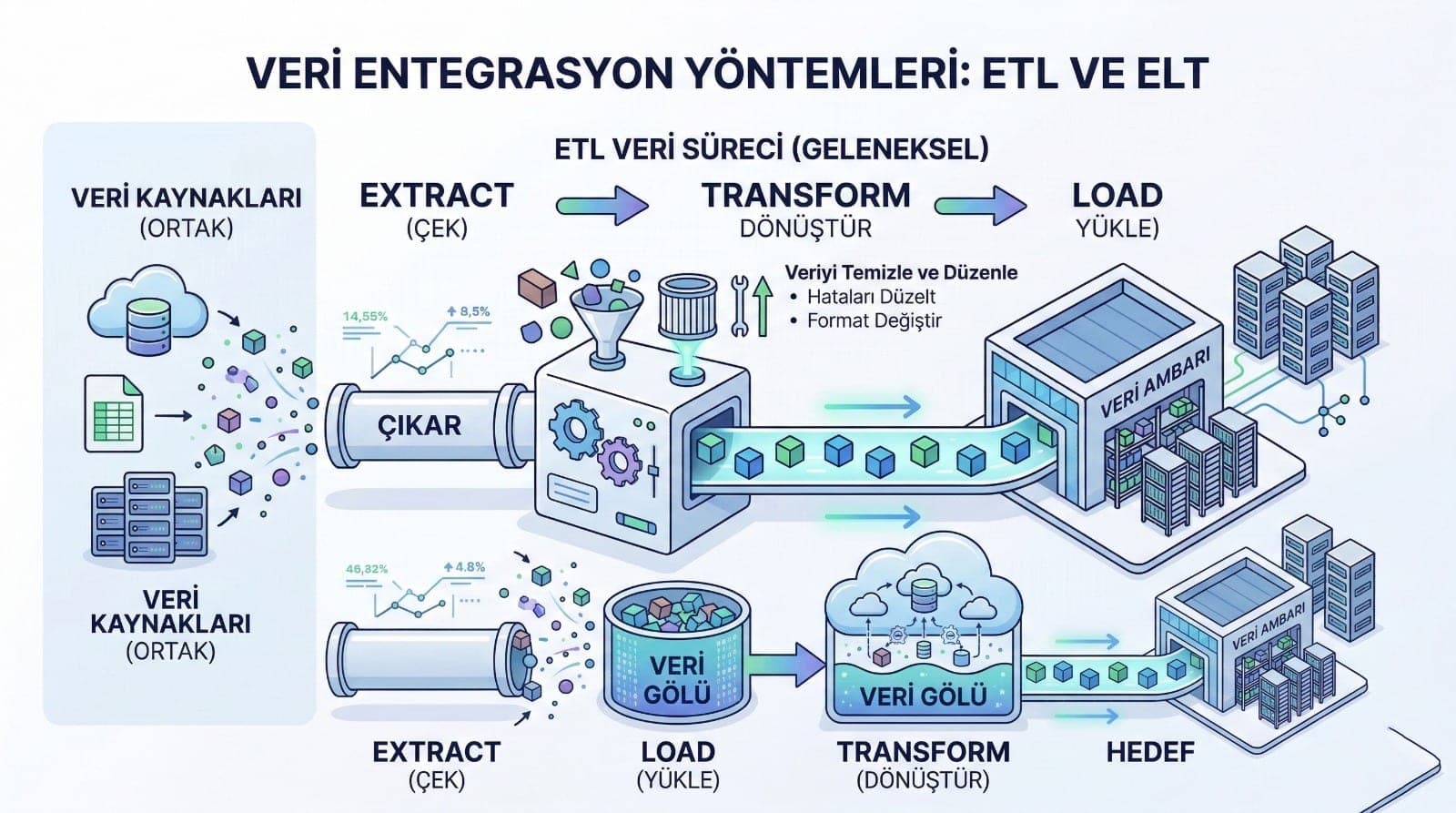
Power Query (ETL) Performance: Preserving Query Folding
Power Query is powerful, but used wrongly it kills performance.
Why does query folding matter?

When folding works, Power BI pushes transformations down to the source (running them on SQL Server). Without folding, Power BI processes everything itself: slower and more costly.
Typical things that break folding:
- heavy custom transformations,
- certain join and transformation combinations,
- unnecessary row-by-row operations.
Good practice:
- resolve heavy transformations at the source where possible (a view or a DWH layer)
- use Power Query for light cleaning and shaping
Speeding Up DAX: Why Measures Are Slow and How to Improve Them
DAX performance mostly comes down to two things:
- How many rows are you traversing? (iteration)
- How complex is the filter context?
1) Avoid unnecessary iteration
Functions such as SUMX and FILTER are essential in some scenarios, but used reflexively they are expensive.
Ask yourself: does this calculation really need to be done row by row, or can it be solved with an aggregation?
2) Use VAR: do not make the engine repeat the same work
Rather than computing the same intermediate result two or three times, computing it once and reusing it makes a noticeable difference in most reports.
3) Move the filter into the model
If the same filter pattern appears inside every measure, it can usually be simplified through modelling:
- flag columns,
- correct dimension relationships,
- more appropriate granularity.
Aggregation: The "Turbo" Effect on Large Data
When working with a fact table of millions of rows in Power BI, the real point is this: most of the time users need a summary, not the detail.
This is where aggregation (summary tables) comes in.
What does aggregation give you?
- A user looking at a monthly trend does not have to scan 50 million rows
- A fast answer comes from the summary table
- Where detail is needed, drill-down or drill-through goes to the detailed fact table
When does aggregation become essential?
- When the fact table is very large (millions and up)
- When reports mostly work at day / month / product category / region level
- When there are many users and capacity management matters
A simple recipe for aggregation design
- Identify the levels users look at most: month, region, category
- Produce a summary table at that level (MonthlySalesSummary, for example)
- Keep both the summary and the detailed fact table in the model
- Feed summary pages from the summary table and detail pages from the large fact table
This approach brings not just speed but scalability.
Incremental Refresh: Speed Up Refreshing Without Straining the Source
Performance is not only about a report opening. As refresh times lengthen:
- capacity is tied up,
- the source system (SQL/ERP) is strained,
- the currency of the report is put at risk.
With incremental refresh:
- The last X days or months are refreshed frequently
- Historical data is kept untouched
- Refresh times fall dramatically
Where log or transaction data is growing in particular, incremental refresh is usually essential.
Import vs DirectQuery vs Composite: Choose the Right Mode
The wrong choice of mode can undo even the best modelling.
Import
- The fastest user experience
- Uses RAM
- Ideal for most dashboard scenarios
DirectQuery
- Goes to the source in real time
- Slow if the source is not well designed (indexes, views, queries)
- You have to consider the cost of "every visual equals a new query"
Composite (Import + DirectQuery)
- Some tables are fast through import
- Others stay current through direct query
- A balanced approach used often in enterprise setups
A practical rule: if speed and user experience come first → Import + good modelling + aggregation. If real-time data is critical → Composite or controlled DirectQuery.
Speeding Up Through Report Design: Manage the Number of Visuals and the Interaction
Even with a perfect model, a report page carrying too much will be slow.
Performance rules for design
- Keep the number of visuals on a page reasonable (8-12 is generally a good band)
- Consider a filter panel approach rather than many slicers
- Leave cross-highlighting and cross-filtering interactions on only as far as needed
- Move large detail tables to a separate page (drill-through)
A summary-plus-detail architecture
- Summary pages: fast, KPI-focused
- Detail pages: filtered, purposeful analysis. This approach improves both performance and user satisfaction.
A Checklist That Buys Speed in 10 Minutes (Quick Wins)
If you want a quick improvement pass:
- I removed unused columns from the model
- I cleared text and GUID-heavy columns out of the fact table
- I set most relationships to Single
- I reduced or brought under control the many-to-many relationships
- I used a date dimension
- I reduced the number of slicers and simplified the page
- I identified the slowest visual with Performance Analyzer
- I simplified the most expensive DAX measures with VAR
Even this checklist makes a noticeable difference in the first pass on most projects.
Conclusion: Power BI Performance Is Not Luck but Architecture
Power BI performance optimisation is solved through sound modelling and the right strategy, not random settings. When a model simplified by a star schema, controlled relationships, clean data preparation, good DAX practice and, where needed, techniques such as aggregation and incremental refresh come together:

- Reports open quickly
- Filters respond briskly
- The system does not break down as data grows
- It stays manageable even as the number of users rises
Further Reading (Internal Link Suggestions)
You can link this to the following content in the same format on your website:
- A DAX Guide: The Most Commonly Used Measure Patterns
- SSRS vs Power BI: Which One in Which Scenario?
- ETL Performance Optimisation with SSIS: Incremental Load and Error Handling
CTA (Contact / Service Copy)
If your Power BI reports are slow, the problem is usually not in one place: the model, DAX, the data and the design have to be addressed together. If you wish, we can produce a performance analysis of your current reports and prepare a clear improvement road map with a star schema conversion, an aggregation plan and an incremental refresh strategy.