
SSAS Tabular vs Power BI Semantic Model: Which One, When? An Enterprise Decision Matrix
The differences between SSAS Tabular and the Power BI Semantic Model, and when each should be chosen for enterprise scenarios.
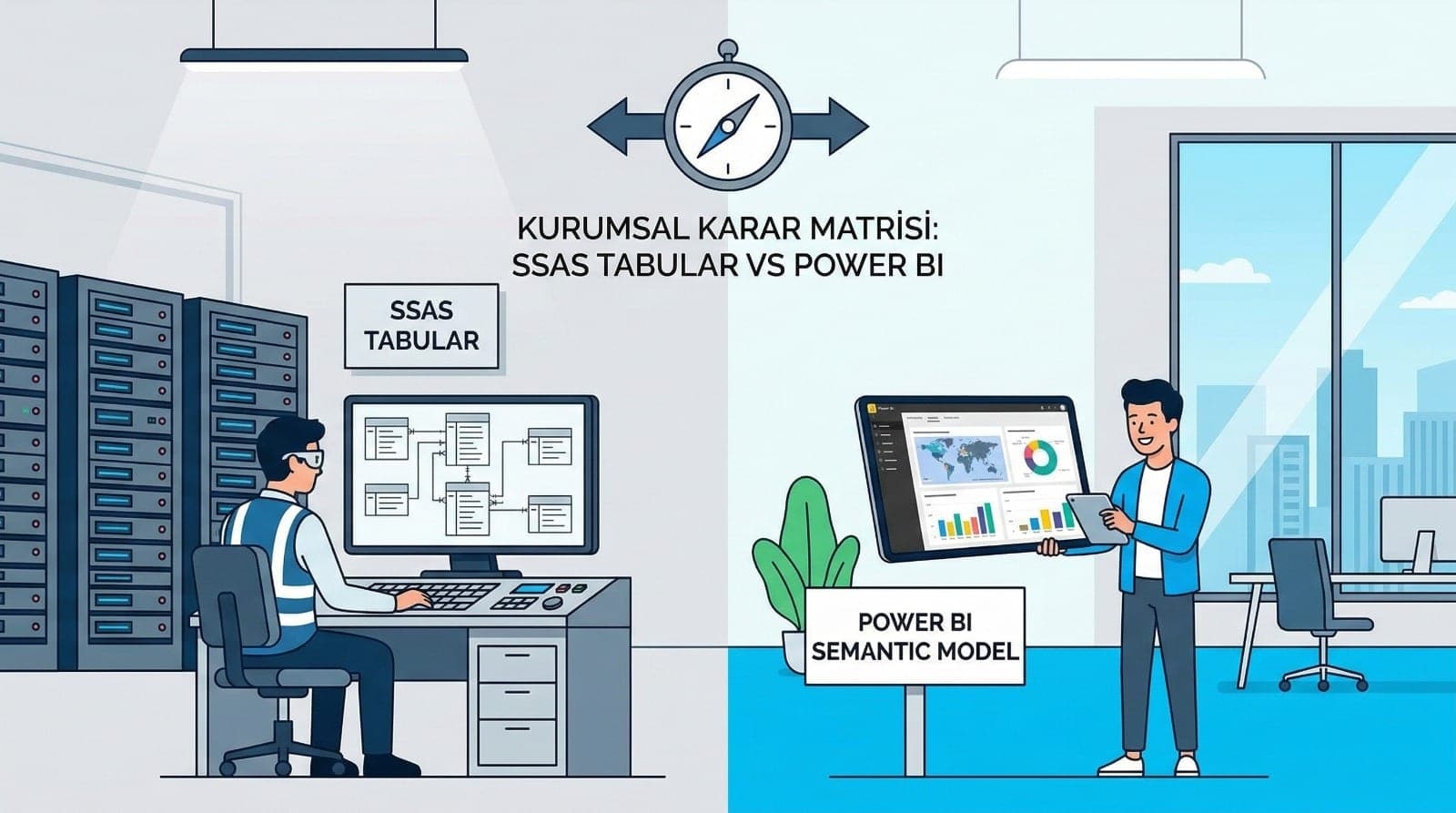
SSAS Tabular vs Power BI Semantic Model: Which One, When? (An Enterprise Modelling and Governance Decision Matrix)
In enterprise BI, "making reports" is not the real issue; the real issue is presenting a single version of the truth, with a single business definition (KPI/metric), the right authorisation and a controlled life cycle (dev-test-prod), sustainably.
Two strong options stand out here:
- SSAS Tabular (SQL Server Analysis Services – Tabular Model)
- Power BI Semantic Model (the Power BI dataset / model layer)
Both rest on the same underlying engine logic (tabular modelling plus DAX), but there are significant differences in deployment, management, governance and organisational use. Rather than "which is better?", this article answers a clearer question:
"In which scenario is SSAS Tabular the right choice, and in which is a Power BI Semantic Model?"
At the end of the article I also leave a governance decision matrix to make the enterprise choice easier.
Let Us Clarify the Concepts First
What Is SSAS Tabular?
SSAS Tabular is a centrally managed analytical modelling layer. Generally within an on-premises SQL Server ecosystem (or compatible enterprise infrastructure), it supports a "one model, many reports" approach:

- The model is designed once (tabular)
- Many reports and tools (Power BI, Excel, other clients) consume that model
- Management, deployment and versioning are set up in a more "enterprise" way
What Is a Power BI Semantic Model?
A Power BI Semantic Model is the dataset/model layer you publish and manage inside the Power BI Service. In the same way it contains semantic layer elements such as:
- Table relationships
- DAX measures
- RLS/OLS
- KPIs and hierarchies.
The critical advantage of the Power BI Semantic Model is that it integrates end to end with the Power BI ecosystem (workspaces, deployment pipelines, lineage, usage metrics and so on).
What They Share: Two Faces of the Same World
In practice both do similar things:
- Dimension-fact modelling (star schema)
- DAX measures
- Data refresh
- Security such as RLS/OLS
The choice is therefore usually not about "which one can technically do it?" but along these lines:
- The management model (who manages it, how is it published?)
- Governance (a single truth, standardisation, auditability)
- Deployment and ALM (dev/test/prod, versioning)
- Performance and scale (capacity, concurrent users)
- Security and access control
- Cost and licensing (the organisation's realities)
Why Does Enterprise Modelling Call for a Semantic Layer?
The biggest problem in enterprise environments is this: the same KPI is calculated differently in different reports.
For example:
- "Net sales" has returns deducted in one report
- and not deducted in another
- the dates are "invoice date" in one and "order date" in the other
This erodes trust and makes management harder.
SSAS Tabular or a Power BI Semantic Model solves this problem as a semantic layer:
- The KPI definition lives in one place
- Reports use the same measures
- Governance takes hold
When Is SSAS Tabular the Better Choice?
SSAS Tabular generally comes to the fore in these situations:

1) When the "central BI" culture is strong
If the organisation's BI team:
- manages models centrally,
- and report consumption spreads across different tools (Excel PivotTables, third-party tools and so on), SSAS Tabular makes a more natural "one model, many consumers" backbone.
2) When the infrastructure is mostly on-premises and tight control is required
Some organisations, for reasons of security or regulation:
- do not want to move data to the cloud
- keep everything in their data centre. In setups of this kind, SSAS Tabular fits the classic Microsoft BI architecture very well.
3) When there is heavy consumption outside Power BI
Not only Power BI but:
- Excel and PivotTables
- custom applications
- other analytics clients — here SSAS Tabular's advantage as a central service grows.
4) When the model life cycle is heavyweight and controlled
If release processes require:
- ITIL / change management
- strict dev/test/prod gates, SSAS can be set up to fit enterprise release discipline better.
When Is a Power BI Semantic Model the Better Choice?
A Power BI Semantic Model is generally more advantageous in these situations:
1) When Power BI is the organisation's main BI platform
If most reports are produced and consumed in Power BI:
- dataset management
- workspace structure
- deployment pipelines
- lineage and usage metrics all work more smoothly on the Power BI side.
2) When self-service BI matters
In setups where different departments (sales, marketing, operations) need to produce reports quickly:
- sharing datasets
- the certified/promoted dataset approach
- a culture of reuse — a Power BI Semantic Model offers a very practical governance framework.
3) When the cloud or a modern ecosystem is the goal
With goals such as Azure, Fabric or a modern data platform, a Power BI Semantic Model sits naturally — particularly for organisations wanting to manage reports, datasets and governance together in one place.
4) When you want to manage deployment and ALM through Power BI
On the Power BI side:
- a workspace-based life cycle
- deployment pipelines
- semantic model refresh management are generally faster and operationally easier.
Security and Authorisation: RLS/OLS and Enterprise Controls
RLS can be implemented on either side; but in the enterprise decision these questions are decisive:
- Are users managed through Azure AD?
- Is role management centralised?
- Is there multi-tenant reporting?
- Who can make changes to the dataset or model?
On the Power BI Semantic Model side, two approaches are critical for governance:
- Certified datasets (the organisation's "single truth")
- Workspace permissions plus dataset build permissions
On the SSAS side, control is more classic but central:
- The IT/BI team manages the model tightly
- Clients are only consumers
Performance and Scale: The "Many Users at Once" Question
What determines performance in enterprise reports is not only the model but also:
- the number of concurrent users
- capacity and resource management
- refresh schedules
- dataset size
Scale in a Power BI Semantic Model
- Management through capacity (Premium in particular) is strong
- Workspace and pipeline management is practical
- Monitoring through usage metrics is more accessible
Scale in SSAS Tabular
- Limited by the power of your on-premises resources, but the control is yours
- Hardware management, monitoring and tuning run with enterprise IT
- For very large and critical models, IT control can be an advantage
The Governance Decision Matrix: Which One, When?
You can treat the matrix below as a decision at a glance.
1) If the priority is central control plus multiple clients → SSAS Tabular
- Consumption outside Power BI is high (Excel and similar)
- There is an on-premises requirement
- Model changes require strict change management
- BI teams are central and dominant
2) If the priority is the Power BI ecosystem, self-service and fast deployment → Power BI Semantic Model
- Most reports are in Power BI
- Departments want to produce content quickly
- A certified dataset culture is to be established
- Pipeline and workspace management matter
Example Architecture Scenarios
Scenario A: A central enterprise model (SSAS Tabular as the backbone)
- SQL Server DWH (gold layer, star schema)
- An SSAS Tabular model (a single semantic layer)
- Power BI, Excel and other clients consume the same model

Advantage: one model, one KPI, high control. Caution: the change process is generally heavier.
Scenario B: Power BI-centred enterprise BI (semantic model as the backbone)
- DWH/lakehouse (gold layer)
- A Power BI Semantic Model (certified dataset)
- Dev/test/prod through workspaces and deployment pipelines
- Reports are multiplied from the same dataset
Advantage: end-to-end management in Power BI. Caution: governance is needed against dataset sprawl (everyone producing their own).
Scenario C: Hybrid (what is commonly seen in real life)
- Critical enterprise KPIs: a central semantic model (SSAS or a certified Power BI dataset)
- Departmental reports: self-service (governed) datasets
- A two-layer semantic layer as required
Advantage: both control and agility. Caution: the boundaries have to be drawn well (which KPI is the "single truth" where?).
The Most Common Mistakes (Avoid These)
- Every team produces its own dataset → the same KPI diverges
- No certified dataset culture is established → the "which report is right?" argument never ends
- An operational model is used instead of a star schema → performance drops
- RLS/OLS is done without a plan → security gaps or excessive complexity
- No dev/test/prod flow is set up → things get tried out in production

Conclusion: The Right Choice Comes with the Organisational Model
Although SSAS Tabular and the Power BI Semantic Model share similar technical foundations, what usually decides the choice in the enterprise world is this:
- The organisation's BI management model
- Governance maturity
- Deployment and life cycle (ALM)
- Consumption channels (only Power BI, or Excel too?)
- Security and regulation
- Concurrent users and the capacity plan
If the organisation works around Power BI and self-service is critical, establishing a certified dataset arrangement with a Power BI Semantic Model is usually the most productive route. If central control, an on-premises requirement and consumption outside Power BI are high, SSAS Tabular remains a very strong enterprise backbone.
Further Reading (Internal Link Suggestions)
- Power BI Performance Optimisation: Modelling, Star Schema, Aggregation and Acceleration Techniques
- What Is ETL? What Is ELT? A Guide to Choosing the Right Architecture with Power BI, SQL and a Data Warehouse
- Enterprise Data Warehouse (DWH) Design: Kimball Star Schema, SCD and a KPI Dictionary
CTA (Contact / Service Copy)
The right decision for your organisation depends on your current data sources, the number of users, your security requirements and how you use Power BI. If you wish, we can assess your existing setup and produce a governance evaluation that settles the SSAS Tabular or Power BI Semantic Model question, along with a workable architectural road map.